Free
$0For checking a session manually.
- Cloud, remote and native profiles
- Manual Balanced sessions
- Basic path and ping checks
- Safe stop and rollback
 CloudBoost
CloudBoost 4.4.3 · Native macOS utility
See whether a bad session started on your Mac, Wi-Fi, VPN or route. Capture latency, jitter and system pressure without touching the game.
What the app answers
CloudBoost records latency, jitter, route state, packet loss, Wi-Fi/AWDL activity, background traffic and local system pressure.
Network Preflight separates the first local hop from the external route. Clean Mac-side signals point you back toward the game, shaders or server.
Selected actions are temporary, visible in the session report and restored when the session stops.
Cloud, remote and local
Evidence, not a magic claim
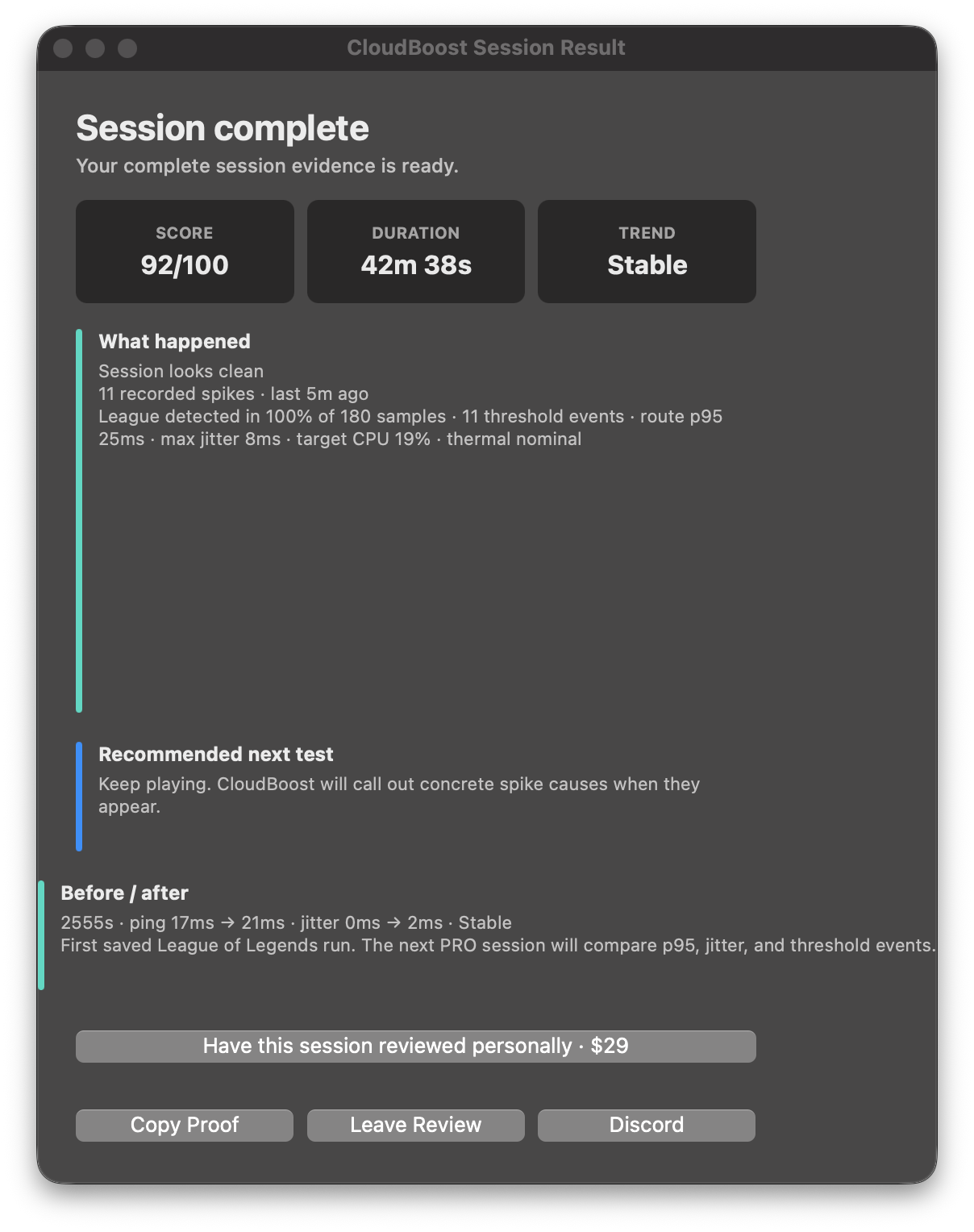
Session Evidence plots observed latency and jitter, marks threshold events and summarizes p50 and p95. Export a PNG or copy Session Proof for support.
Observed in one published League session. It is not a claim of extra FPS or guaranteed latency reduction.
Simple pricing
No account is required for Free. PRO is a one-time CloudBoost 4.x license for one Mac.
For checking a session manually.
One payment. Full v4.x access on one Mac.
Start with the symptom
Limited personal review
$29 total includes PRO and one setup-specific review delivered through Discord or email within three business days. Five pilot slots.
See PRO + Personal ReviewStraight answers
CloudBoost does not modify games, bypass anti-cheat or install a kernel extension. Administrator permission is requested only for protected temporary system actions.
Open the Trust CenterSupport for everyone
Discord is open to Free and PRO users for installation, licenses, bugs and confusing diagnostics. PRO users can paste the complete Session Proof.
Join DiscordInstall 4.4.3 manually once because those builds cannot use the newer embedded-signature and website-mirror routes. Settings and PRO activation are preserved. Open the official release.
Not directly. CloudBoost is about session stability and diagnosis. It can help when stutter comes from local macOS pressure, background tasks, power state or Wi-Fi behavior, but it does not modify the game renderer.
Yes, when the problem is around the game rather than inside it: thermal pressure, Low Power Mode, background traffic, Wi-Fi/AWDL behavior, CPU pressure or uneven local session state. CloudBoost cannot directly measure shader compilation, asset streaming, renderer frame time, engine stalls or Rosetta translation. Since version 4.2.2, it tells you when measured Mac-side signals are clean enough to investigate those causes next.
Yes. CloudBoost includes free profiles for remote play and can help identify local Mac-side causes such as Wi-Fi noise, UDP issues, route latency and background traffic.
Yes. CloudBoost can help diagnose the Mac receiving side of Shadow, remote PC and home streaming sessions: route latency, jitter, packet loss, VPN routing, UDP behavior, Wi-Fi/AWDL noise and local pressure.
CloudBoost is not a VPN service. PRO includes VPN Route Doctor, which can detect tunnel routes, blocked UDP checks and VPN-related route latency, then suggest testing with VPN off or using split tunneling for the game, client or browser.
No. CloudBoost does not install KEXTs, hidden daemons, permanent system patches, game injections or anti-cheat bypasses. Some features may ask for administrator permission because macOS requires it for temporary system-level session changes.
Only protected system-level actions should ask for administrator permission, such as DNS refresh, AWDL changes, Time Machine pause requests or lower-level session fixes. Viewing diagnostics and using basic profiles should not need a password.
Session Proof is a PRO support report that can be copied from the app. It includes the selected profile, preset, Session Doctor, Session Lab, before/after summary and recent CloudBoost events. It does not include license keys, personal files, hostnames or browser history.
A new Payhip PRO license activates on one Mac. It can be revalidated on that same Mac. If you replace the computer, contact CloudBoost support on Discord to request a transfer instead of purchasing again.
Because CloudBoost is distributed outside the App Store, you may need to clear quarantine after installing: xattr -cr /Applications/"CloudBoost.app"
CloudBoost 4.4.3